#mobileapp
#Figma
#designsystem

Figma
Process
Userflow
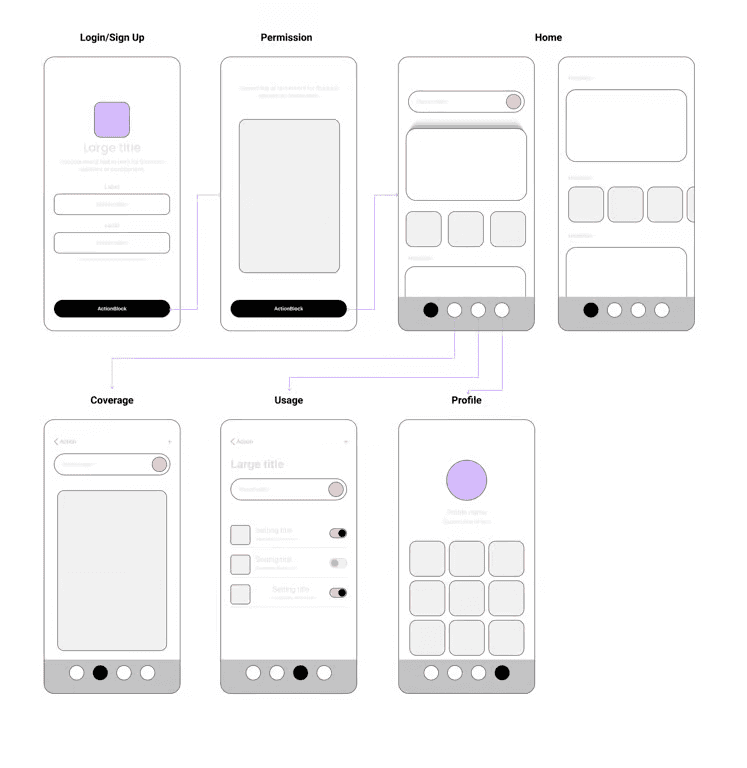
At this stage, so as designer we need to empathize with users, we need to analyze the workflow of the design we will be working on. From where the user can open each feature that we designed, from where the entry points, and what screen will produce.
Here's a glimpse of the user flow of this application:
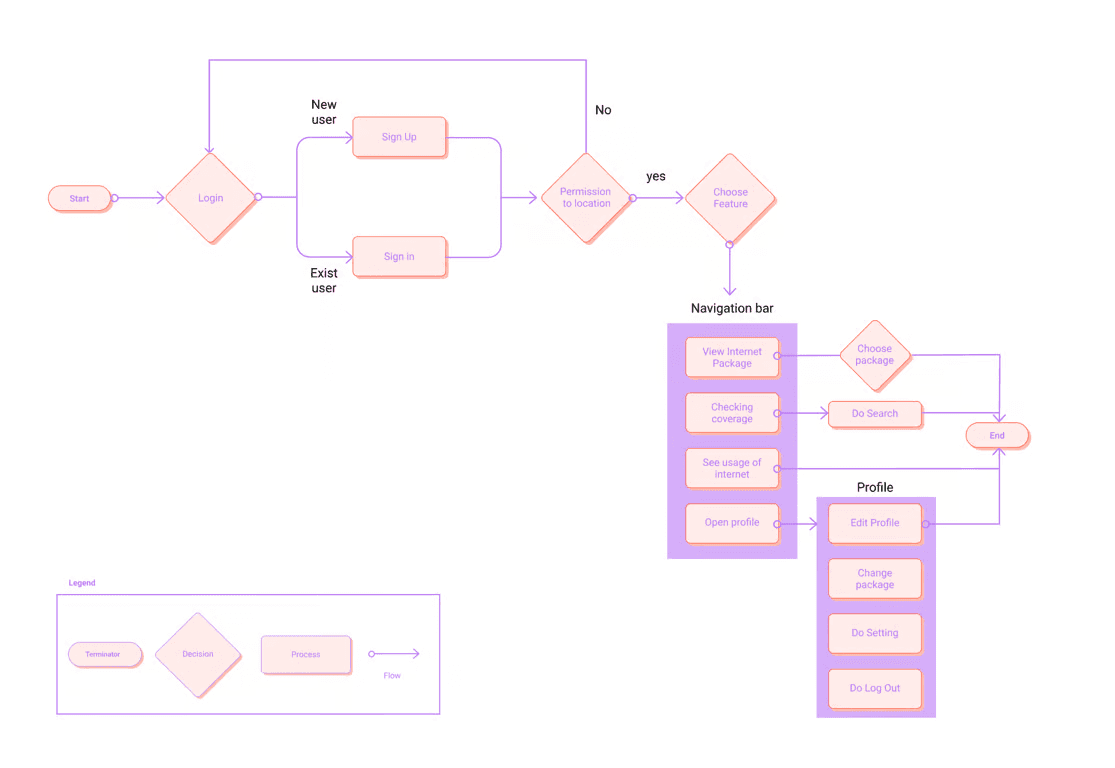
On the main screen, users will immediately be able to set the desired internet package options. From userflow, I translated it into wireflow with a picture like this:
Design system
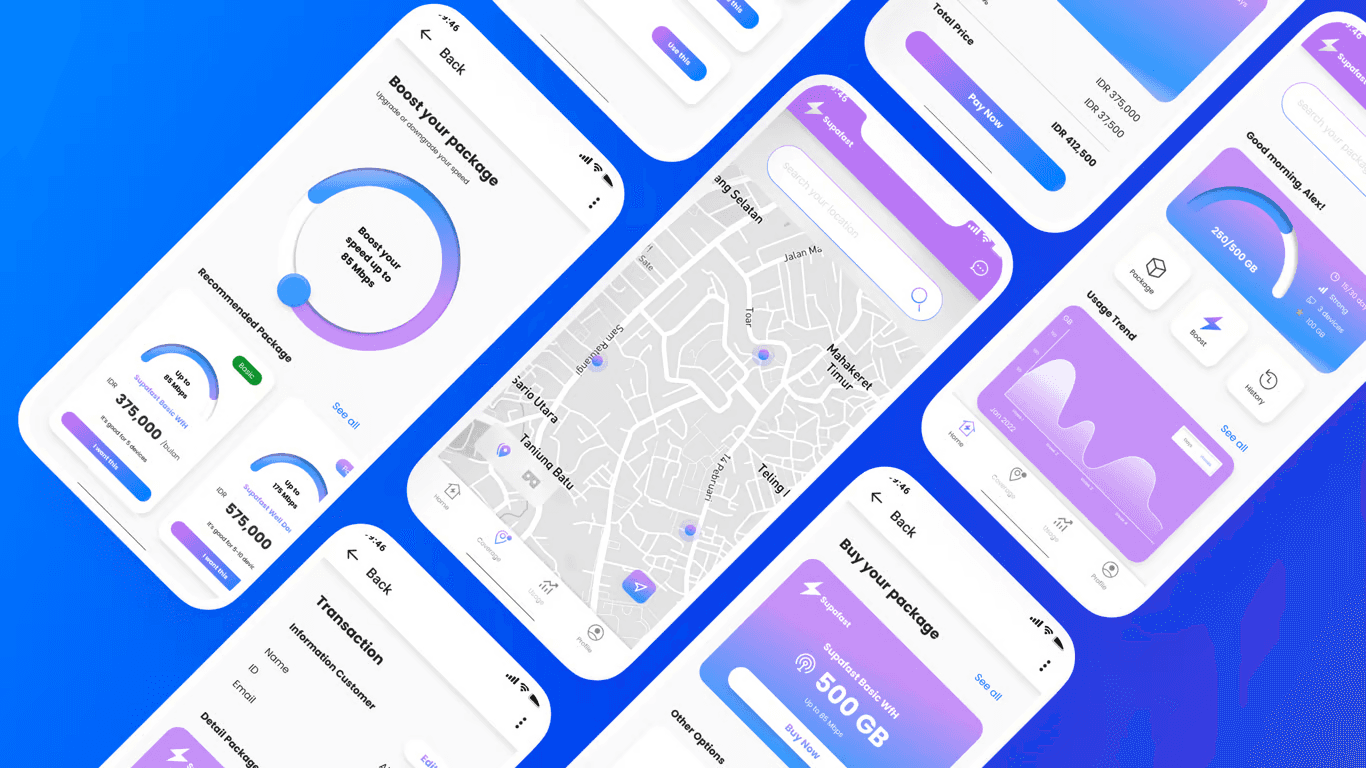
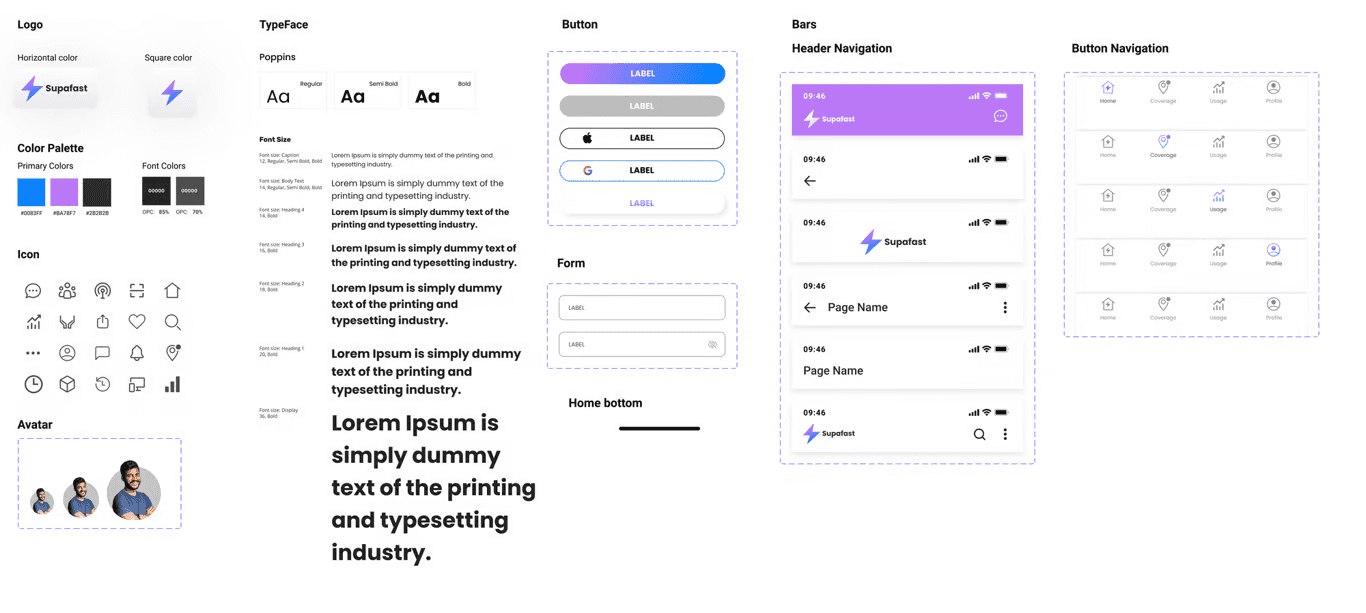
I want my design using is uniform component and complies with mobile application rules, that's why I prepare the design system first, from the foundation, button components, to the header pattern and navigation bar.
Conclusion
It's really fun to be able to learn to make designs using real problems that I also face, so that the design process suits my needs. However, because the design test process takes 1 week and does not require user testing, all of this process is carried out based on personal and subjective assumptions.
The good news is, after entering this design test, I received further news from the agency's design team, but the offering offered was not appropriate and we will let you know again when they have sufficient budget.
Lesson learned
It's nice to feel 'owning' while making a design so this process is quite complete
Setting up the design system first makes me work faster just by using library assets in Figma